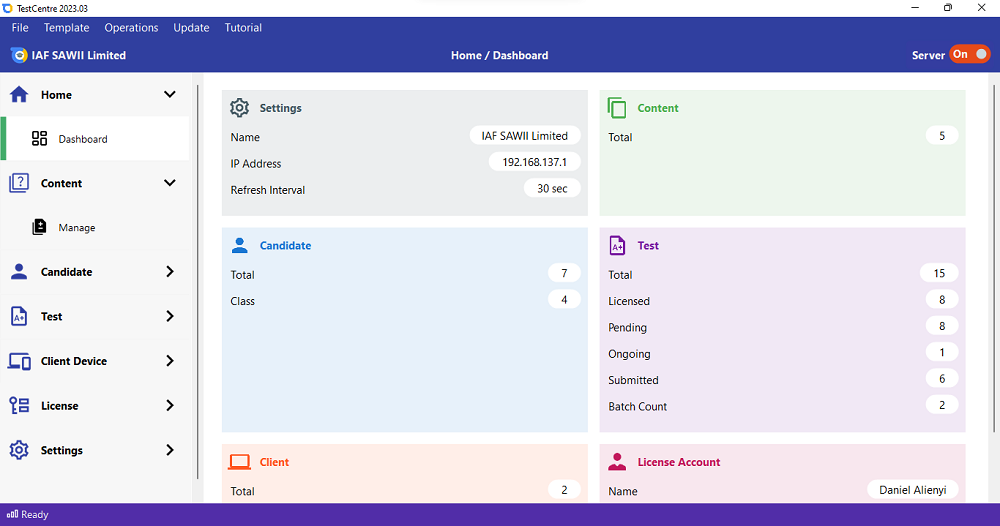
TestCentre is a set of software applications designed to enable Schools, CBT centers, Tutorial centers and other ICT centres conduct Computer-Based Test with their own content on local server.
Features Of TestCentre
Consists of 3 core applications - TestCentre is basically made up of 3 software applications - TestCentre for the server computer (TestCentreAdmin), TestCentre for the client computers (TestCentreClient) and configured XAMPP. The XAMPP application runs on the server.
Versatile - It works on all kind of local server including thin clients.
Set your own questions - It allows you to create questions, upload questions and administer them from the server.
Robustness - TestCentre is capable of handling up to 250 clients connected to a single server with 4G RAM.
Easy to deploy - TestCentre is very easy to setup. It requires little technical knownledge to set up.
Flexible candidates registration - You can register candidate directly in TestCentreAdmin or by importing an excel file containing candidates details.
Webcam Technology - You can perform photo capture right from TestCentreAdmin.
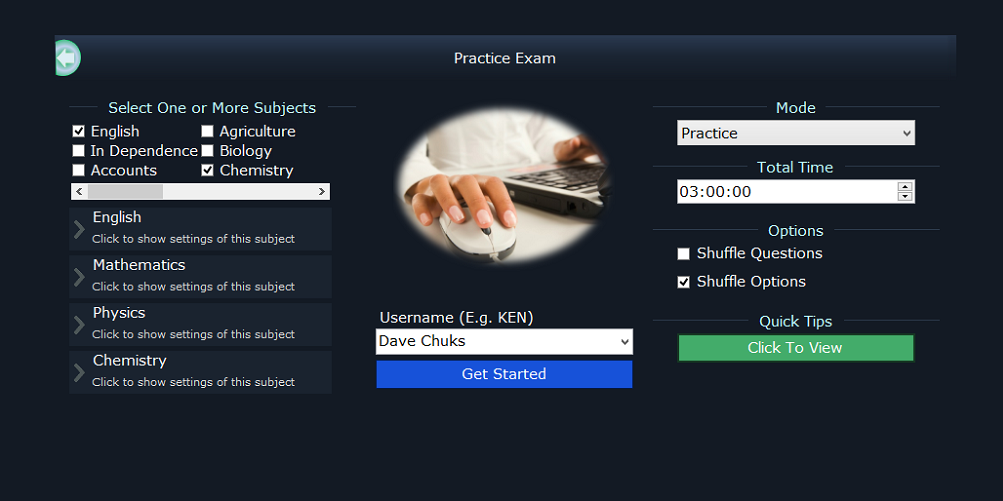
Powerful CBT engine. - Candidates take tests on one of the finest CBT engines. The engine allows images, subscripts, superscripts, tables, special symbols, keyboard-keys for easy of naviagtion, on-screen calculator and more.
Resume test even after power failure - TestCentre saves the state of a test when a candidate is currently taking that test. If there is power outage, candidates can continue from where they stopped once power is restored.
TestCentreClient auto-update - You do not have to reinstall updates on every client. TestCentreClient automatically updates itself once a new version is uploaded via TestCentreAdmin.
Decide Everything - Decide the number of subjects, number of questions, total time and so on.
Invite and send result via SMS - invites candidates for their test and send their result via SMS.
Monitor live test from the server - You can view the state of client computers connected to the server. You can screenshot client computers, submit ongoing exam, log out all clients and so on right from the server.
How it works
Download and setup TestCentre on your facility. You will be required to activate only the server. Cost of server activation is N2,000.
Decide the number of candidates that will be writing the test. Buy license that corresponds to the number of candidates. The cost is N100 per test.
Register candidates and send an invitation SMS to them.
Candidates take test but result cannot be viewed yet.
License is verified via the server. The license verification requires access to the internet. Once license is verified, result be will made accessible.
Candidates results get printed, exported to excel file or sent via SMS.





No comments:
Post a Comment